If your application requires .Net 3.5 to run on Microsoft Windows Server 2012 R2, you are more than likely to have a problem installing or if it does install not work.
How to install .Net Framework 3.5 on Windows Server 2012 R2.
- Insert server operating Disc or mount the ISO.
- Open command as Administrator
- Take not of the drive letter the O/S disc is mounted and if it isn’t d: then you will need to change this part “/Source:d:\sources\sxs” in the line below to the driver letter
- Type : dism /online /enable-feature /featurename:NetFX3 /all /Source:d:\sources\sxs /LimitAccess
- The .Net framework 3.5 feature will install see fig 1
- Under Roles and feature in the server manager you will now see dot net 3.5 installed see fig 2
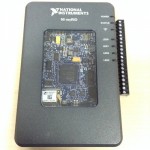 The National Instruments myRIO requires to have the same Real-Time module installed on as the one that is installed with LabVIEW to be able to use, if an old version is installed on the myRIO then when you plug the myRIO in the “NI myRIO USB monitor” will disable LabVIEW from the menu (see fig 1), if you are using the latest version of LabVIEW then you will need to update the firmware* or use an older version of LabVIEW.